Concurrent
Benchmark 1000+ AI Models in Seconds
Benchmark and test multiple AI models at once with no more switching between consoles or dashboards. Concurrent is the free LLM benchmarking tool that sends your prompt to multiple AI models simultaneously, showing you side-by-side comparisons of quality, cost, and speed. Access 1000+ models across 30+ providers, all running locally on your machine. Bring your own API keys to get started.
What is Concurrent?
A free desktop application built for developers, AI researchers, data teams, and anyone comparing LLMs at scale.
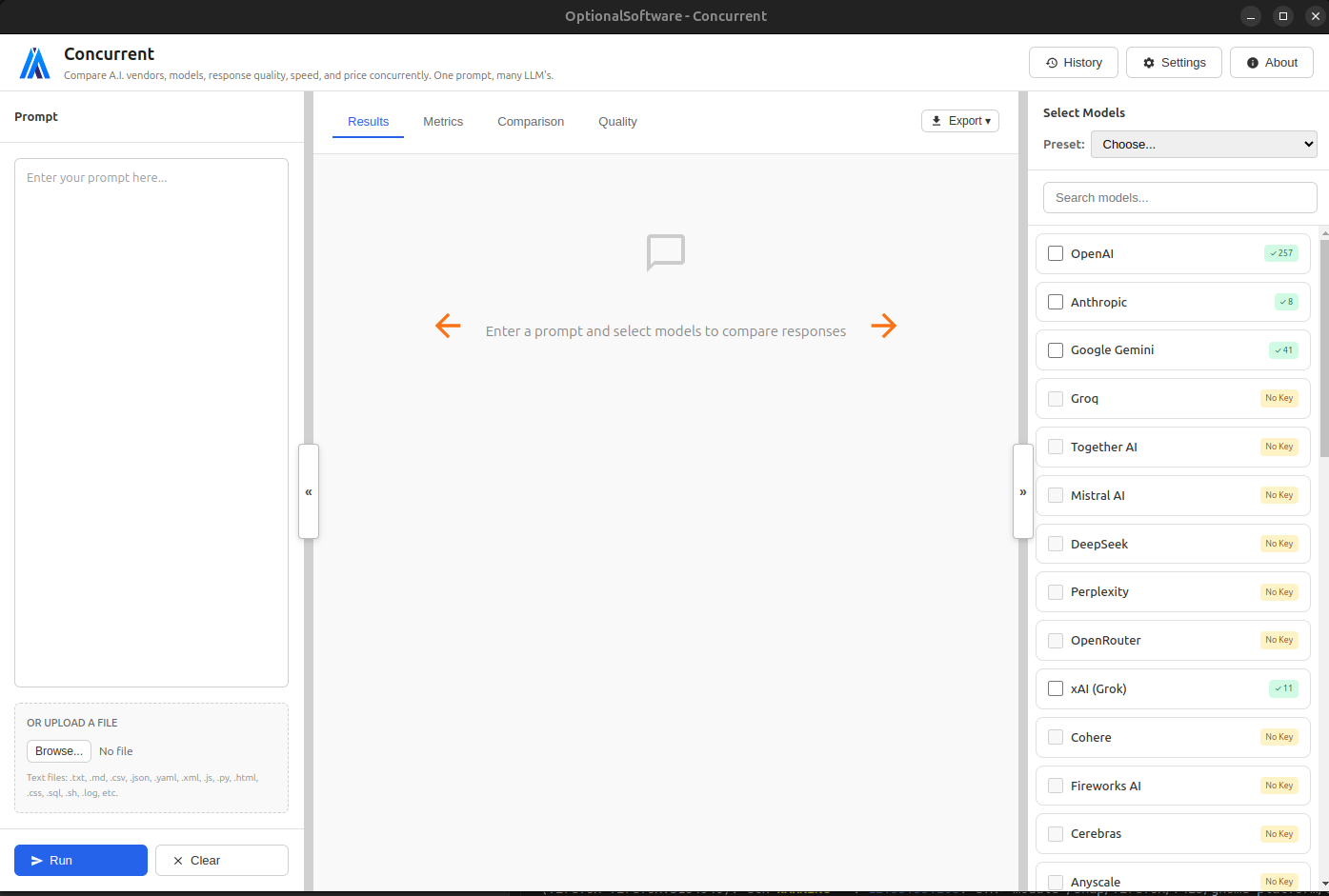
Concurrent is the free desktop application for LLM benchmarking. Designed for developers, AI researchers, and teams who need to evaluate models with real metrics.
Send your prompt to multiple AI models at once and see responses displayed in a unified interface. Instead of testing each model manually, you instantly see differences in quality, speed, and cost.Each AI provider (like OpenAI, Anthropic, Google) offers multiple models with different capabilities, costs, and performance characteristics. Concurrent helps you find the perfect model for your specific use case by showing you exactly how each one performs, while keeping all data on your machine.
Multi-Provider Support
Access 30+ AI providers with support for 1000+ models from a single interface
Major Providers
OpenAI, Anthropic, Google, Groq, Mistral AI, DeepSeek, Perplexity, xAI, and 20+ more providers.
Additional Providers
Cohere, AI21 Labs, AWS Bedrock, Azure OpenAI, Replicate, Hugging Face, and many more.
Local Models
For advanced users: Run models locally on your own hardware with Ollama or LM Studio.
Custom APIs
Add your own API endpoints with support for OpenAI-compatible, Anthropic, and Gemini formats.
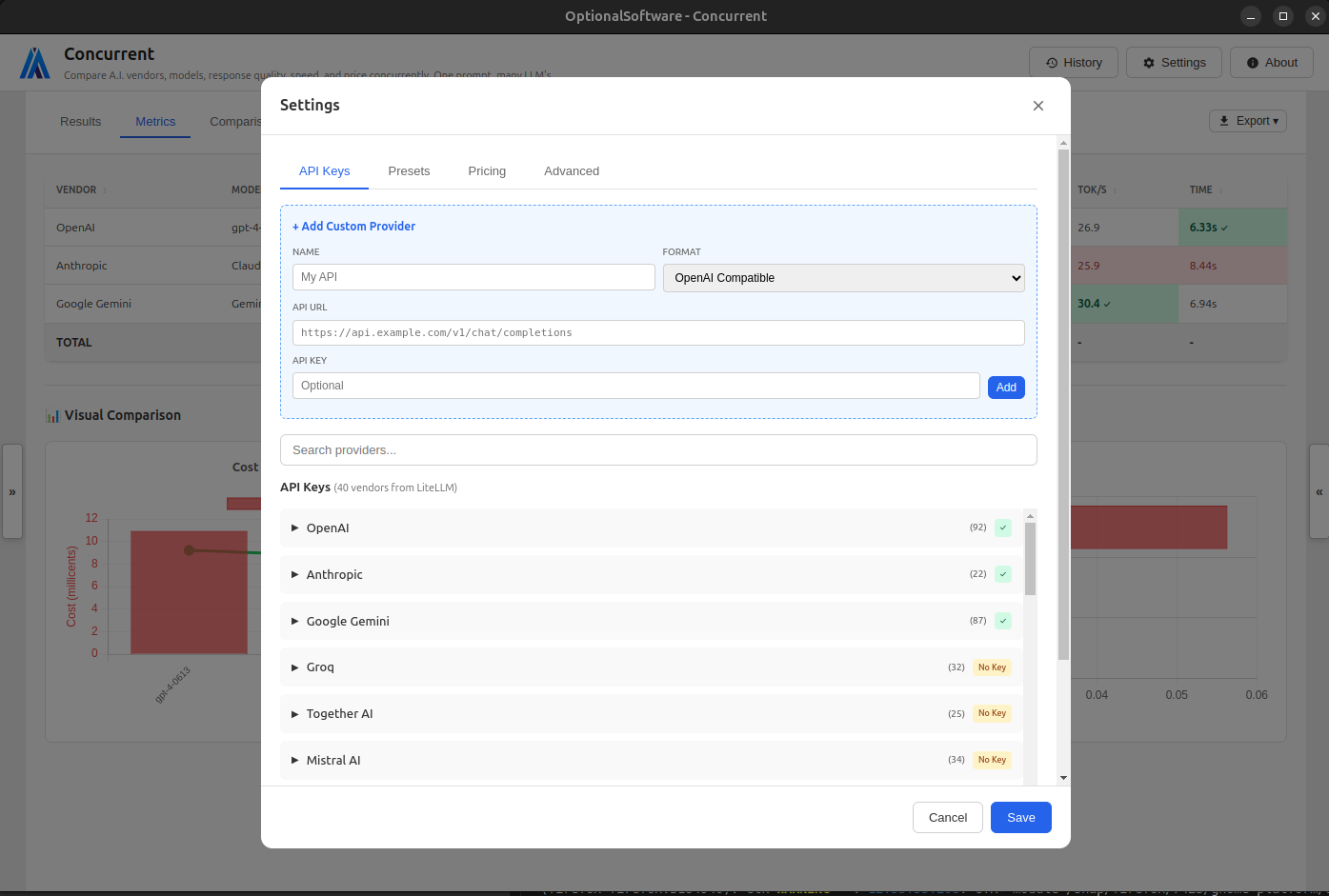
Concurrent gives you access to a vast ecosystem of AI models from all major providers. Configure your API keys once and instantly gain access to hundreds of models without any additional setup.
The settings panel makes it easy to manage your API keys and select which models you want to use. You can enable or disable providers with a single click, and Concurrent will automatically detect which models are available with your API keys.
Powerful Comparison Features
Analyze and compare AI responses with comprehensive tools and metrics
Results View
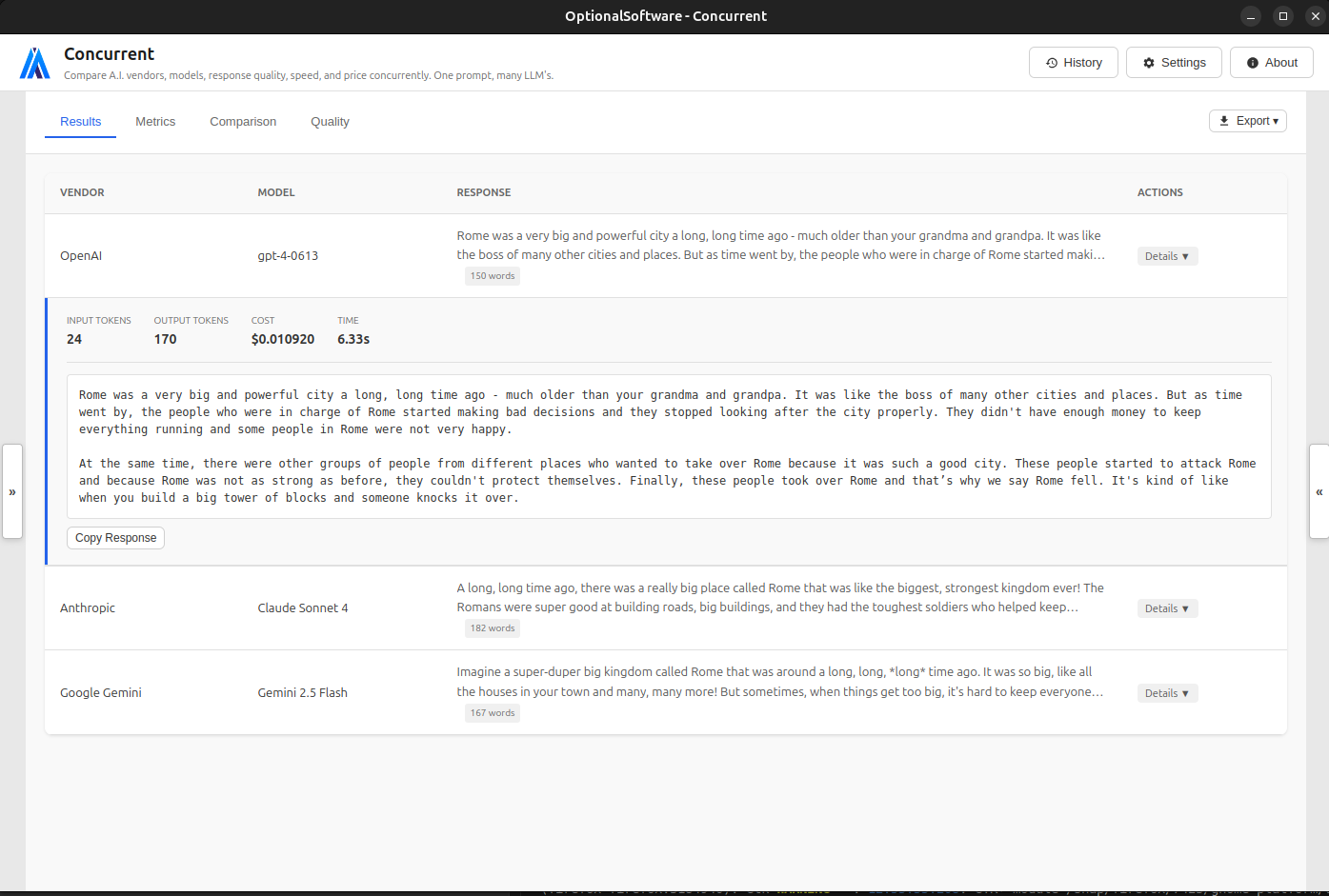
Quickly understand how each model performs with a unified comparison view that highlights best and worst results, with expandable details and quick copy buttons.
Metrics View
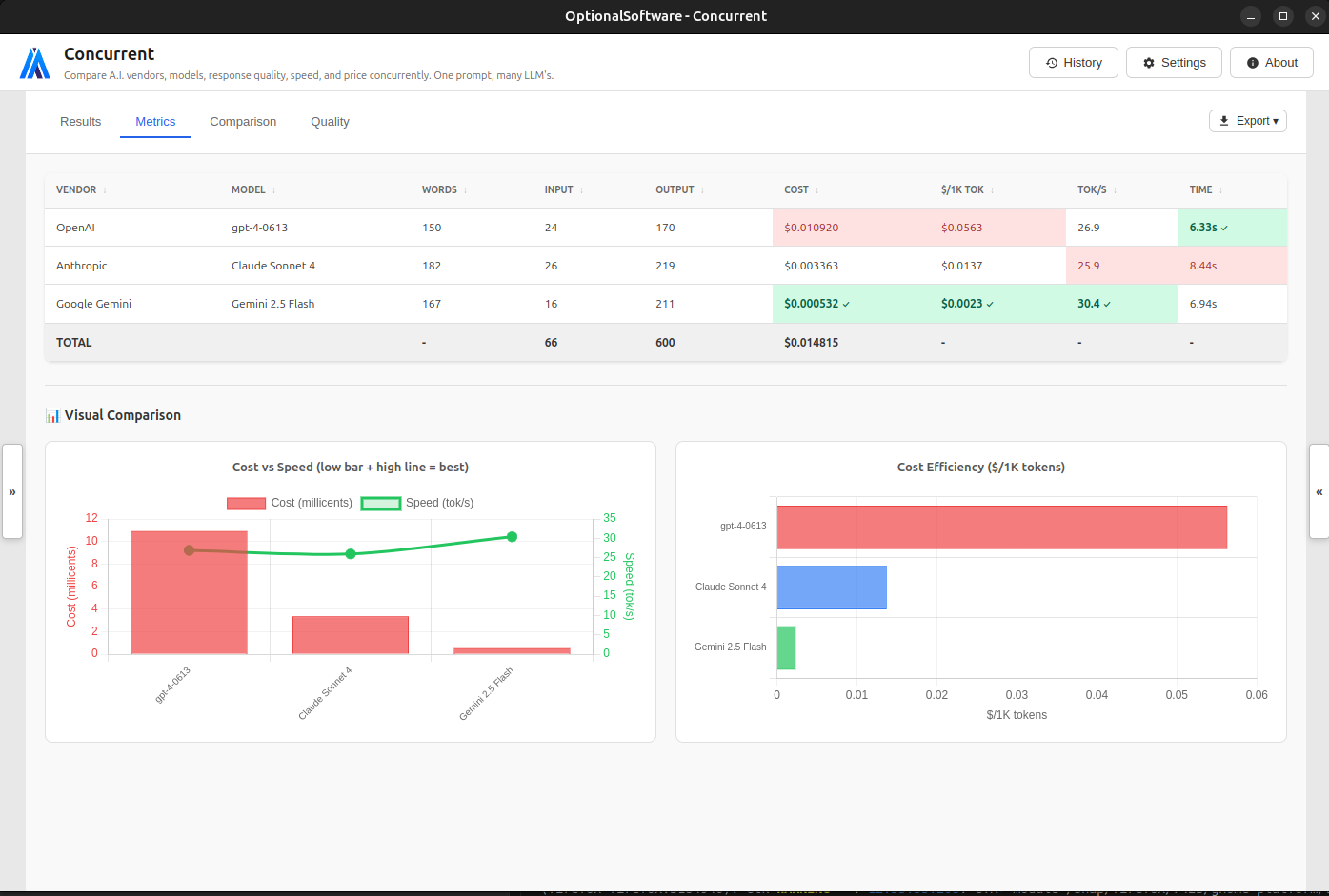
Analyze detailed performance metrics including token counts, costs, speed, and more with visual highlighting of best/worst performers.
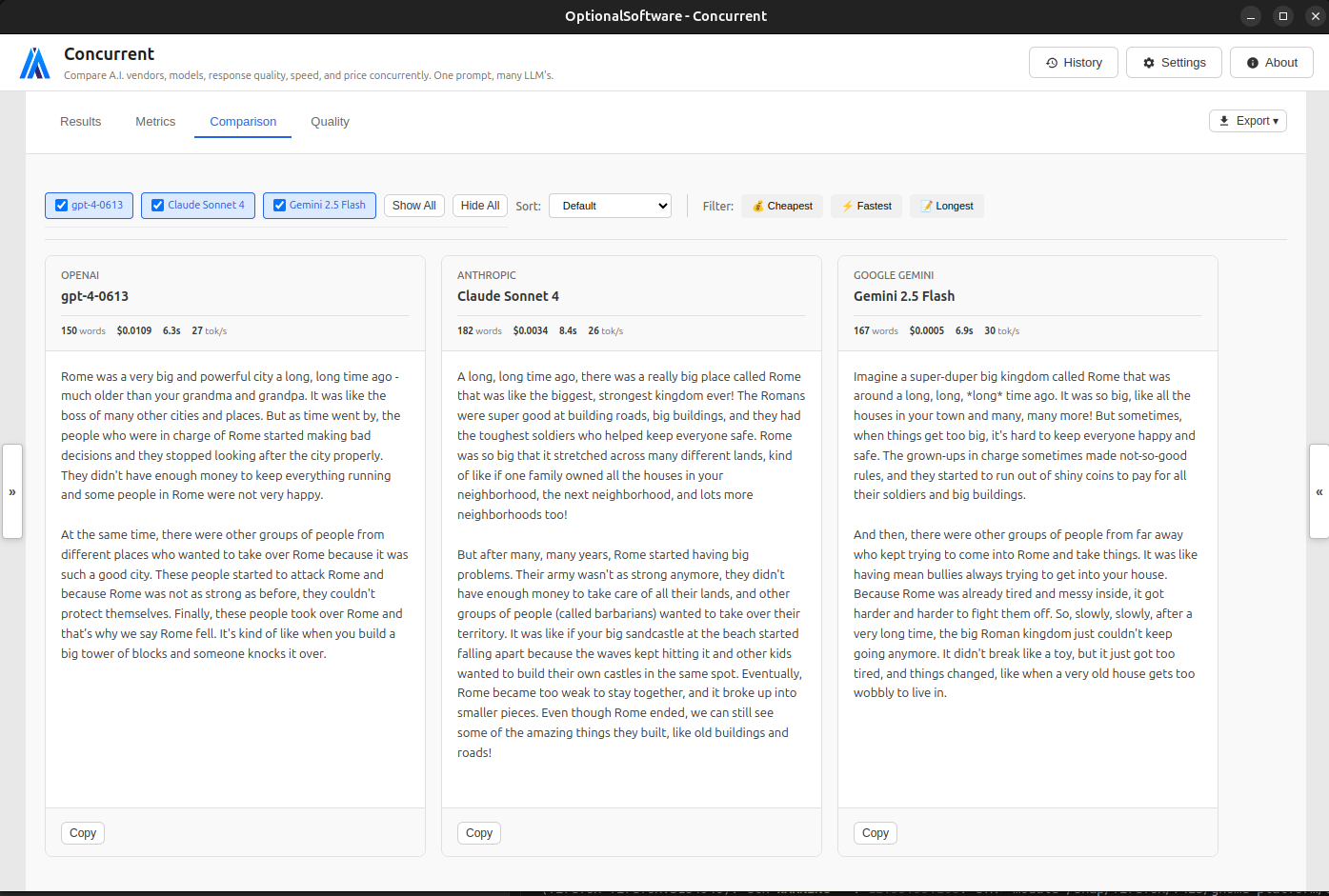
Side-by-Side Comparison
View responses in columns for easy comparison with sorting and filtering options.
AI-Powered Evaluation
Use LLM-based evaluators to automatically score and rank model outputs using your own criteria.
Concurrent provides powerful tools to help you analyze and compare responses from different AI models. The side-by-side comparison view makes it easy to see the differences between models at a glance.
You can sort and filter responses based on various criteria, such as quality, cost, and speed. This helps you quickly identify which model performs best for your specific use case.
AI-Powered Quality Evaluation
Objectively measure and compare the quality of AI responses
Token Usage Metrics
Track input and output token counts for each model to understand usage patterns and optimize your prompts.
Cost Per Response
See exact costs for each model response and cost per 1,000 tokens for efficiency comparison across providers.
Speed Analysis
Measure tokens per second and total response time to identify the fastest models for your use case.
Visual Charts
Interactive graphs and charts help you visualize performance patterns and compare models at a glance.
Don't just guess which response is better. Use Concurrent's AI-powered evaluation to objectively measure quality across different models for systematic LLM benchmarking.
The metrics view provides detailed statistics about each response, including token counts, costs, and generation time. You can also see a visual representation of how each model performs relative to the others.
Cost Analysis
Make informed decisions with detailed cost metrics and analysis
Real-Time Pricing
Automatic pricing data from LiteLLM database covering 1000+ models with weekly updates.
Custom Pricing
Override default pricing for any model and set your own input/output token costs for enterprise pricing or custom deployments.
Cost Metrics
See exact cost per response, cost per 1,000 tokens for efficiency comparison, and total cost tracking across all comparisons.
Cost Comparison
Compare pricing across different providers to find the most cost-effective models for your needs.
Understanding the cost implications of different AI models is crucial for making informed decisions. Concurrent provides detailed cost metrics for each model, helping you balance quality and cost.
The cost analysis view shows you exactly how much each response costs, allowing you to identify the most cost-effective models for your specific needs.
Additional Benefits
100% Free
The application is completely free to download and use.
No subscription, no premium tiers, no upsells.
You bring your own API keys and pay LLM providers directly for usage.
Private & Secure
Your prompts, API keys, responses, it's all your data with nothing being sent to our servers.
Self-Hosted
For enterprise users or the security-conscious: the application runs entirely on your hardware with no cloud dependencies.
Complete History
Automatically saves all your comparisons with searchable history and configurable size.
Shareable Configurations
Export and import settings, preset configurations, and more to share with team members or backup your setup.
Multiple Export Formats
Export your testing configuration and full results history into JSON, CSV, Markdown, or plain text.
Why Use Concurrent?
Benchmark models scientifically.
Stop guessing, measure quality, cost, speed, and reliability across providers.
Reduce evaluation time from hours to seconds.
One prompt. Multiple models. Instant insights.
Make informed decisions with real metrics.
Pricing, token usage, latency, throughput — all compared side-by-side.
See the full picture, not just a single response.
Evaluate dozens of models simultaneously to find the best fit for your use case.
Keep everything private and local.
Your prompts, keys, and responses never leave your device.
Use one consistent interface.
No more bouncing between APIs, dashboards, playgrounds, or SDKs.
Get Started
- Download & Install Concurrent
- Add your API keys for the providers you want to use
- Select models from the right sidebar
- Enter your prompt in the left panel
- Click "Run" and review the results
Latest Version | © 2025 OptionalSoftware